
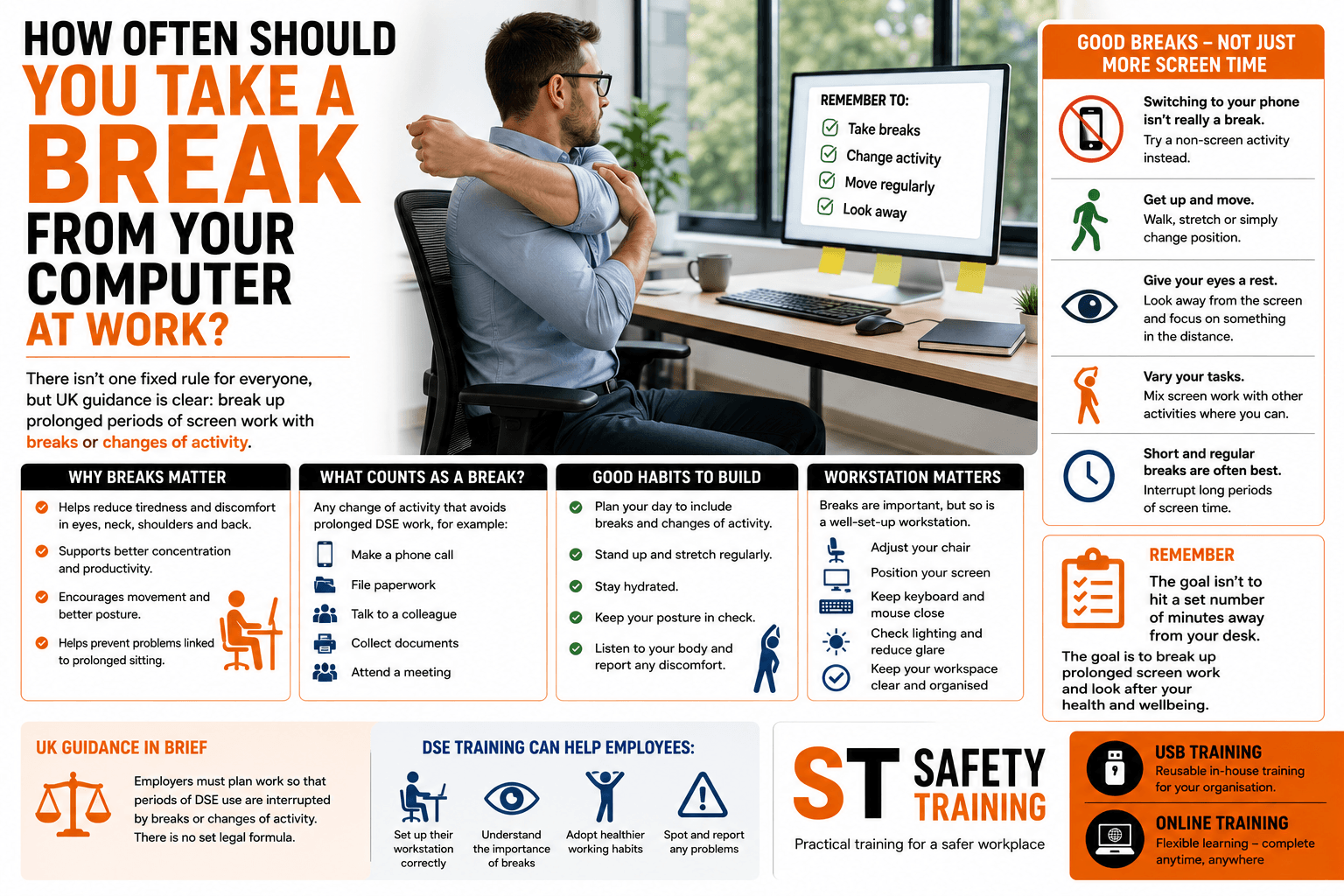
How Often Should You Take a Break From Your Computer?
For many employees, spending most of the working day in front of a computer is completely normal.
Emails, spreadsheets, video meetings, databases and specialist software can mean employees spend hours using Display Screen Equipment (DSE).
But how long should someone work at a screen before taking a break?
It’s often assumed that UK health and safety rules specify an exact number of minutes that employees must spend away from their computer every hour. In reality, there isn’t one universal statutory formula that applies to every DSE user.
The emphasis is on organising work so that prolonged periods of display screen activity are interrupted by breaks or changes of activity.
Does UK Law Specify How Long DSE Breaks Must Be?
There isn’t a simple legal requirement stating that every computer user must take a specific five, ten or fifteen-minute break after a fixed period.
The Health and Safety (Display Screen Equipment) Regulations require employers to plan the activities of DSE users so their daily work on display screen equipment is periodically interrupted by breaks or changes of activity.
This distinction is important.
A DSE break doesn’t necessarily mean an employee has to stop working altogether.
It can mean changing to another task that allows them to spend some time away from intensive screen and keyboard use.

What Counts as a Break From DSE Work?
Imagine an office employee has spent a prolonged period entering information into a computer.
They might then:
- Make a telephone call that doesn’t require the screen.
- Collect paperwork from another department.
- Attend a meeting away from their computer.
- Carry out filing.
- Speak to a colleague.
- Complete another non-screen task.
These changes of activity can interrupt continuous DSE work.
The aim is to avoid employees remaining in essentially the same position performing intensive screen-based tasks for unnecessarily long periods.
Are Short, Frequent Breaks Better?
Where possible, shorter and more frequent interruptions can be preferable to simply working continuously at a screen for several hours and then taking one long break.
This is because the purpose isn’t merely to accumulate a certain number of minutes away from work.
It’s about interrupting prolonged DSE activity.
Regular changes of position and activity can give employees an opportunity to move, adjust their posture and vary what their eyes are focusing on.
Why Are DSE Breaks Important?
Computer work may not appear physically demanding, but remaining relatively static for long periods can contribute to discomfort.
Employees may experience problems involving their:
- Neck.
- Shoulders.
- Back.
- Arms.
- Wrists.
- Hands.
- Eyes.
The risk isn’t simply caused by the screen itself.
How the workstation is arranged, the employee’s posture, the intensity of the work and how long they remain in one position can all be relevant.
Does Looking at Your Phone Count as a Screen Break?
Switching from a work computer to a smartphone isn’t necessarily much of a break from screen activity.
The employee may still be:
- Looking at a display.
- Focusing at close range.
- Holding a static posture.
- Using their hands for repetitive movements.
A more useful change of activity may involve getting up, moving around or completing a task that doesn’t require another screen.
What About Eye Strain?
People sometimes assume that using display screens permanently damages their eyesight.
The more immediate concern for many DSE users is visual fatigue and discomfort.
Employees may notice:
- Tired eyes.
- Dry or irritated eyes.
- Difficulty concentrating.
- Headaches.
- Temporary changes in focusing comfort.
Looking away from the screen periodically and varying visual tasks can help reduce prolonged close-focus activity.
Employees should also consider factors such as glare, reflections, lighting and screen positioning.
Workstation Setup Still Matters
Taking regular breaks doesn’t compensate for a badly arranged workstation.
An employee who spends the day hunched over a poorly positioned laptop may still experience discomfort even if they occasionally leave their desk.
A suitable DSE workstation should consider factors including:
- Chair adjustment.
- Back support.
- Screen height and position.
- Keyboard placement.
- Mouse position.
- Available desk space.
- Lighting.
- Reflections and glare.
Breaks and good workstation setup should therefore work together.
What About Very Busy Employees?
Some employees become so absorbed in their work that several hours can pass without them moving away from their computer.
Deadlines, customer demand and back-to-back online meetings can make this particularly easy.
Employers should consider how work is organised rather than leaving the issue entirely to individual employees.
For example, scheduling every meeting as a video call can unintentionally create long periods of continuous screen use.
Work patterns should allow employees suitable opportunities to vary their activity.
DSE Breaks for Home Workers
The same principles are relevant when employees work from home.
In fact, some home workers may have fewer natural interruptions than employees in a conventional office.
There may be no walk to a meeting room, printer or colleague’s desk.
A home worker can potentially remain in the same chair for a large part of the day.
Employees working remotely should therefore understand the importance of changing activity and avoiding unnecessarily prolonged periods of continuous DSE use.
Is DSE Training Just About Taking Breaks?
No.
Breaks are only one part of effective DSE management.
Display Screen Equipment Training can help employees understand:
- How to arrange their workstation.
- How to adjust their chair.
- Suitable screen positioning.
- Keyboard and mouse placement.
- The importance of changing posture.
- The role of breaks and changes of activity.
- Lighting and glare.
- How to recognise and report discomfort.
The objective is to help employees understand how their everyday working habits can influence their comfort and wellbeing.
When Should Employees Report Problems?
Employees shouldn’t simply accept persistent discomfort as part of having an office job.
If someone experiences recurring pain, discomfort or problems they believe may be associated with their workstation, they should report this through the organisation’s appropriate procedure.
The employer may need to review the employee’s DSE assessment, workstation, equipment or working arrangements.
Addressing a problem early may prevent an unsuitable working practice from continuing unnecessarily.
Flexible DSE Training for UK Businesses
Businesses with office-based, home-working and hybrid employees need a practical way to provide consistent DSE information.
DSE Training supplied on USB gives employers a reusable resource for delivering training in-house. It includes the training videos together with question and answer test sheets, certificate templates and training record templates.
The USB can be accessed using a compatible PC, laptop or Mac and can be particularly useful when new employees need training at different times.
Online DSE Training offers an alternative for employees who need to complete the course individually or remotely.
This can be particularly convenient for businesses with employees working from multiple locations.

Final Thoughts
There isn’t one universal rule requiring every UK DSE user to take an exact number of minutes away from their computer every hour.
The more important principle is that prolonged display screen work should be periodically interrupted by breaks or changes of activity.
Employers should organise work accordingly, while employees should understand the importance of varying their activity, changing posture and avoiding unnecessarily long periods in front of a screen.
Combined with a suitable workstation and DSE assessment, appropriate breaks and changes of activity can form an important part of healthier display screen working.
